Flowcus

Visualize your task management workflow

Visualize and manage your OmniFocus tasks with an evolving Sidekick assistant

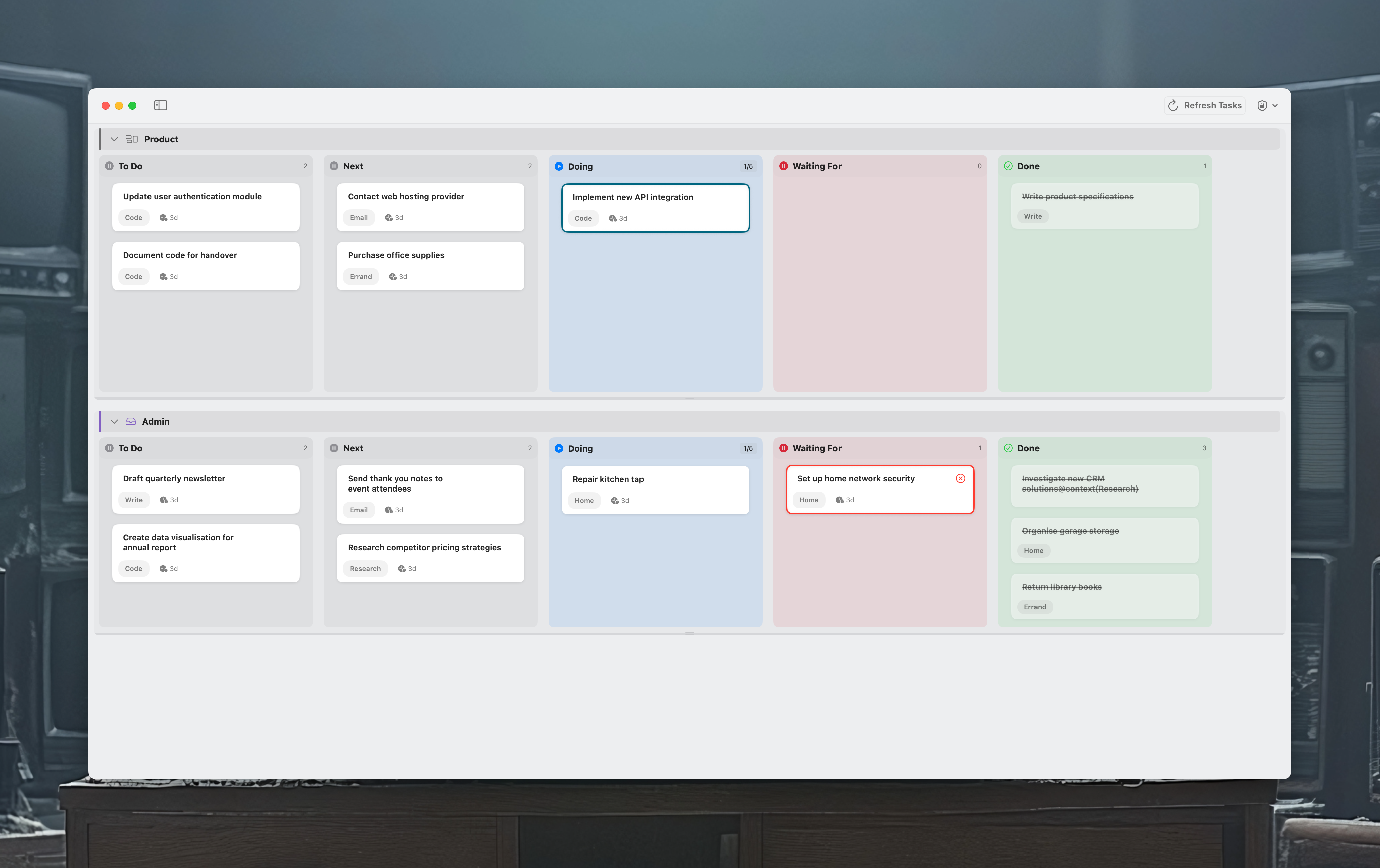
Flowcus App Screenshot

Key Features

Making Lean Thinking Visible in Task Management

Problem Statement

Modern knowledge work demands more sophisticated task management than traditional tools provide. Modelling tasks as being either 'to do' or 'done' (or in some cases 'dropped') doesn't necessarily reflect the reality of how our work flows through our systems. We frequently encounter blockers to progress, wait for dependencies and move through different stages to complete our work. We need to visualize not just what needs to be done, but where work is in its lifecycle, why it might be stuck, and how important it really is.

Traditional task managers presenting work as two-dimensional lists make it difficult to:

  • See the flow of work across different stages
  • Identify bottlenecks and blocked items at a glance
  • Apply lean principles like limiting work-in-progress (WIP)
  • Quickly capture and organize tasks without breaking flow
  • Visualize workflow progression and task states

The Flowcus Solution

Flowcus bridges this gap by providing a lean-focused board view for your OmniFocus tasks. It introduces:

  • Sidekick: An early assistant with a growing set of actions to help you manage your tasks, with more capabilities being added regularly
  • Visual Work States: Tasks can exist in customizable columns that reflect real workflow stages
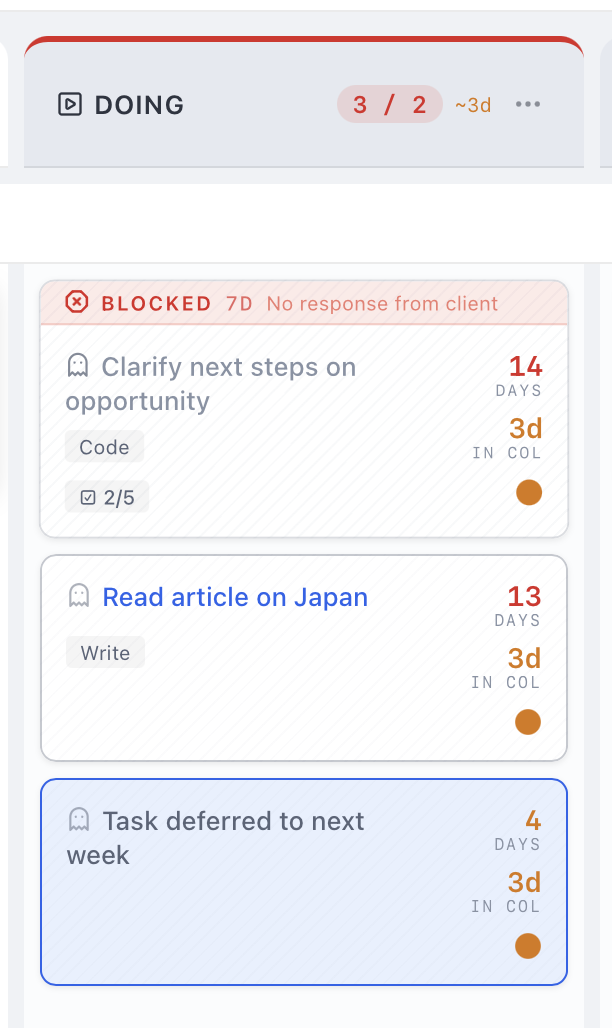
  • Explicit Blocking: Tasks can be marked as blocked with specific reasons, making impediments visible and trackable
  • WIP Limits: Columns can enforce work-in-progress limits to prevent overload and identify bottlenecks
  • Swimlanes: Organize work by project, priority, or any dimension while maintaining the flow view
  • Drag-and-Drop Flow: Move tasks between states intuitively while keeping OmniFocus as the source of truth
  • Deep OmniFocus Integration: Seamlessly sync with OmniFocus, view tasks in context, and update completion status directly from the board

Flowcus doesn't replace OmniFocus—it enhances it by providing the missing visualization layer that modern knowledge workers need to apply lean principles to their personal productivity. Built on the modern Tauri framework, Flowcus 2.0 makes the invisible visible, turning task management into strategic flow management — with an early Sidekick assistant that's growing with every release.

FAQs

Flowcus is an intelligent task management app for macOS that helps you collate your tasks into a single, holistic view so you can prioritise and complete them more effectively. It includes its own built-in task engine alongside integrations with OmniFocus and TaskPaper, and goes beyond simple visualisation with features like Radar (which surfaces the tasks you should focus on), Ghost Detection (which finds neglected or vaguely defined work), rule-based automation, and an AI-powered Sidekick.

Flowcus includes its own built-in task engine, so you can use it as a complete standalone system. It also integrates with OmniFocus (Pro edition) and TaskPaper. You can use multiple sources simultaneously and visualise tasks from all of them together on a single board.

Yes, soon! Flowcus has a built-in task management engine currently in development and due in release 2.1. Once available, you'll be able to use Flowcus as a complete standalone system without needing OmniFocus or TaskPaper.