Rewind: See What You Actually Got Done This Week
It's Friday afternoon. Someone - maybe it's you! - asks "what did you get done this week?" and your mind goes blank. You were busy that's for sure. You definitely made progress on the long-running project you promised yourself you'd finish this week... But when you try to recall the details, all you can remember is the one thing you didn't finish.
This is a common and demoralising side effect of knowledge work. The results of your labour sometimes disappear. The work happens, but the tangibility doesn't always stick. Your task manager has the evidence of what you did, but it's scattered across projects and buried under everything that's still outstanding. There's no easy way to step back and see the big picture.
That's why Flowcus comes with Rewind.
What Rewind does
Rewind is a weekly report generator in Flowcus that produces a narrative summary of your last 7 days of work. It pulls together everything you completed, dropped and postponed during the week and turns that raw activity into a readable story about what actually happened.
A Rewind report includes:
- Headline stats — how many tasks you completed across how many projects
- Narrative summary — specific, concrete accomplishments written in plain language
- Highlights — the top 3-5 notable completions, chosen by complexity, age or significance
- Streaks and patterns — your daily activity and most productive day
- Decisions made — tasks you deliberately dropped or deferred, framed as prioritisation rather than failure
The tone is warm, specific and honest. Rewind celebrates real progress without inflating it. On quiet weeks it gently acknowledges what was done rather than fabricating achievements — because a truthful summary is more useful than a flattering one.
How it helps
I created this as a genuine solution to a problem I've had for years. I work on multiple tasks over a week but sometimes I'm left unsure about what I actually did that was valuable. I'm not interested in crowing over completed work. I wanted Rewind to offer some some concrete benefits:
-
Rewind closes the loop on your week. Seeing your completions laid out as a narrative gives you a sense of closure that a to-do list never does. The week stops being a blur and starts being a story with a beginning, middle and end.
-
Rewind gives you something to share. The report is designed to be copy-pasted elsewhere e.g. a weekly journal entry ((I paste mine into Day One) but I could see how you could share this wider with others if needed e.g. via Slack update. There's a "Copy as Markdown" button that puts the whole thing on your clipboard in one click.
-
Rewind fights the "I got nothing done" feeling. Most weeks you've done more than you think. Rewind proves it with specifics — not vague affirmations, but the actual tasks you finished. It's hard to feel unproductive when you're looking at a list of concrete things you shipped.
-
Rewind reframes dropped and deferred work. Dropping a task isn't a failure, it's a decision. Deferring something isn't procrastination, it's prioritisation. Rewind includes these in the narrative so you can see the full shape of the week, including the choices you made about what not to do.
How to use it
Using Rewind is simple:
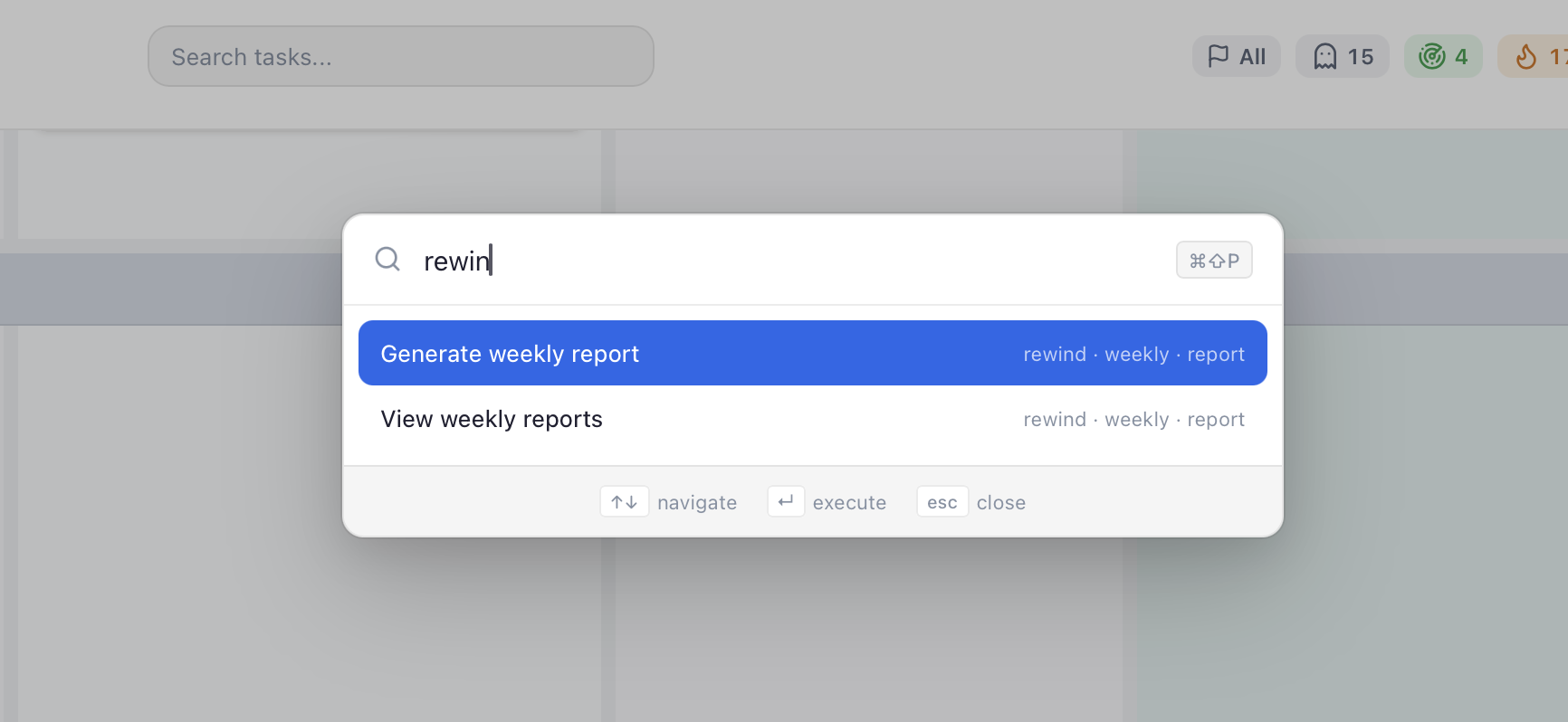
- Open Flowcus and generate a report from the command palette (
cmd-shift-pthen type Rewind) - Rewind pulls your completed, dropped and deferred tasks from the past 7 days
- Your configured Sidekick LLM generates the narrative summary
- The report appears in a modal with formatted sections you can read or share
- Click Copy as Markdown to send it anywhere you like
Rewind works with any of the LLM providers Flowcus supports — Ollama, OpenRouter, Anthropic, OpenAI or Google — so you can run it entirely locally if you want, or use a hosted model. If your Sidekick isn't configured, Rewind will let you know rather than failing silently.
Make Rewind sound like you
Rewind's narrative is generated from a prompt that tells the LLM how to summarise your week. If you'd like the report to sound more formal, more playful, or focused on particular things (for example, emphasising client work over personal projects) you can edit that prompt directly.
Open the Tools menu in Flowcus and you'll find the Rewind prompt alongside the other editable LLM prompts. Tweak the instructions, save, and the next report you generate will use your version. It's a small touch but it lets Rewind match the voice of your journal or whatever frame you find most motivating.
A better way to end the week
Most productivity tools are obsessed with what's next. Rewind is one of the few that stops to look at what already happened. It's a small feature with an outsized effect — two minutes on a Friday afternoon is enough to remind yourself that the week mattered, to capture the details while they're fresh and to share the highlights with anyone who needs them.
Your task manager has always known what you accomplished. Rewind just helps you see it.
Download Flowcus and try Rewind at the end of your next working week.