Press Kit
Everything you need to write about Flowcus. If you need additional assets or have questions, get in touch at support@getflowcus.app.
About Flowcus
Visual task intelligence for OmniFocus, Things, Todoist and TaskPaper on macOS
Flowcus is a macOS app that adds a personal Kanban board on top of the task manager you already use. It connects to OmniFocus, Things, Todoist, and TaskPaper — letting you see what's stuck, what's overloaded, and what to focus on next, without replacing your existing workflow.
Most task managers show your work as a flat list — either 'to do' or 'done'. But that's not how work actually happens. Tasks get blocked, wait on other people, or move through stages before they're finished. Flowcus borrows from lean and kanban principles and applies them to personal productivity, giving you the visual layer your task manager is missing. Flowcus works alongside your existing task manager, pulling in your tasks and displaying them on a customisable Kanban board. Drag tasks between columns, mark items as blocked, set WIP limits, and let the built-in AI Sidekick help you break down and refine your work. Edits to tasks — name, project, status, notes, flags, completions — sync back to your task manager automatically.
Key Features
Kanban board for your tasks
Customisable columns, swimlanes, WIP limits, and visual indicators — see your work in progress at a glance
Four task manager integrations
Works with OmniFocus (Pro), Things, Todoist, and TaskPaper. View and update tasks directly from the board
AI-powered Sidekick
An LLM-backed assistant that refines vague tasks into clear next actions, executes natural-language board commands, and summarises your week — all without leaving the board
Radar
Analyses your tasks daily and surfaces the 3–5 you should focus on, scored by urgency, momentum, and neglect
Ghost Detection
Finds neglected, vaguely defined, or stale tasks before they become dead weight
Drag-and-drop with sync
Move tasks between workflow stages and your edits sync back to your task manager automatically
Command Palette
Keyboard-driven access to everything in the app — navigate, execute, create, and manage tasks without the mouse
Blocked tasks and WIP limits
Mark tasks as blocked with a reason, set column limits to spot overload early, and maintain focus
Blueprint with calendar integration
Time-block your day with your macOS Calendar or Google Calendar events alongside the plan — read-only, so nothing in your calendar changes
Four languages
Available in English, Spanish, Italian and Simplified Chinese, following your macOS language by default
Quick Facts
| Platform | macOS 13.0 or later |
|---|---|
| Architecture | Universal (Apple Silicon and Intel) |
| Current version | 2.1 |
| Pricing | Free during early access |
| Distribution | Direct download from getflowcus.app |
| Integrations | OmniFocus Pro, Things, Todoist, TaskPaper |
| Developer | Rhyd Lewis |
| Based in | United Kingdom |
Screenshots
Click any screenshot to view full size. All images may be used in editorial coverage of Flowcus.
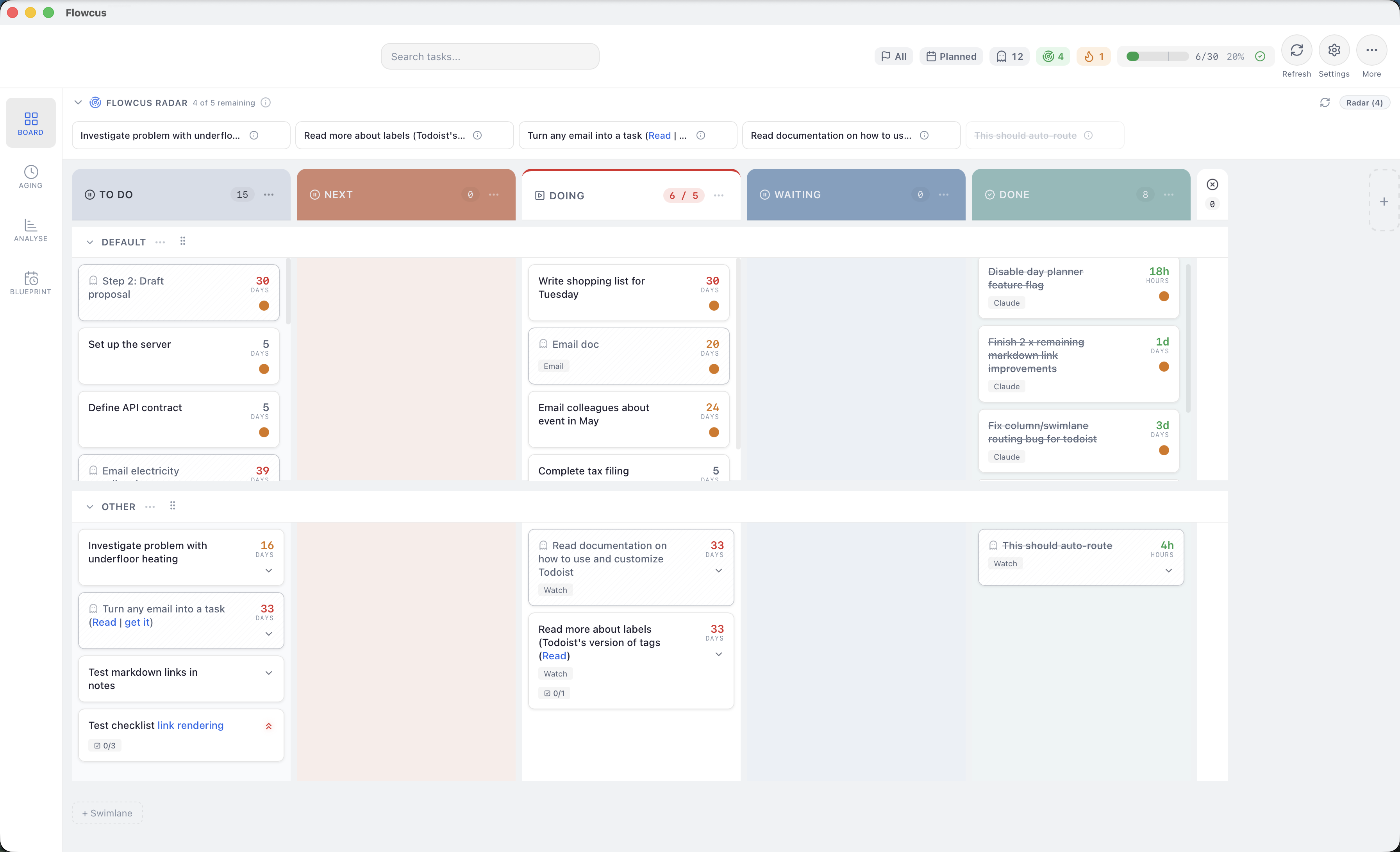
Kanban board with customisable columns, swimlanes, WIP limits, and blocked task indicators
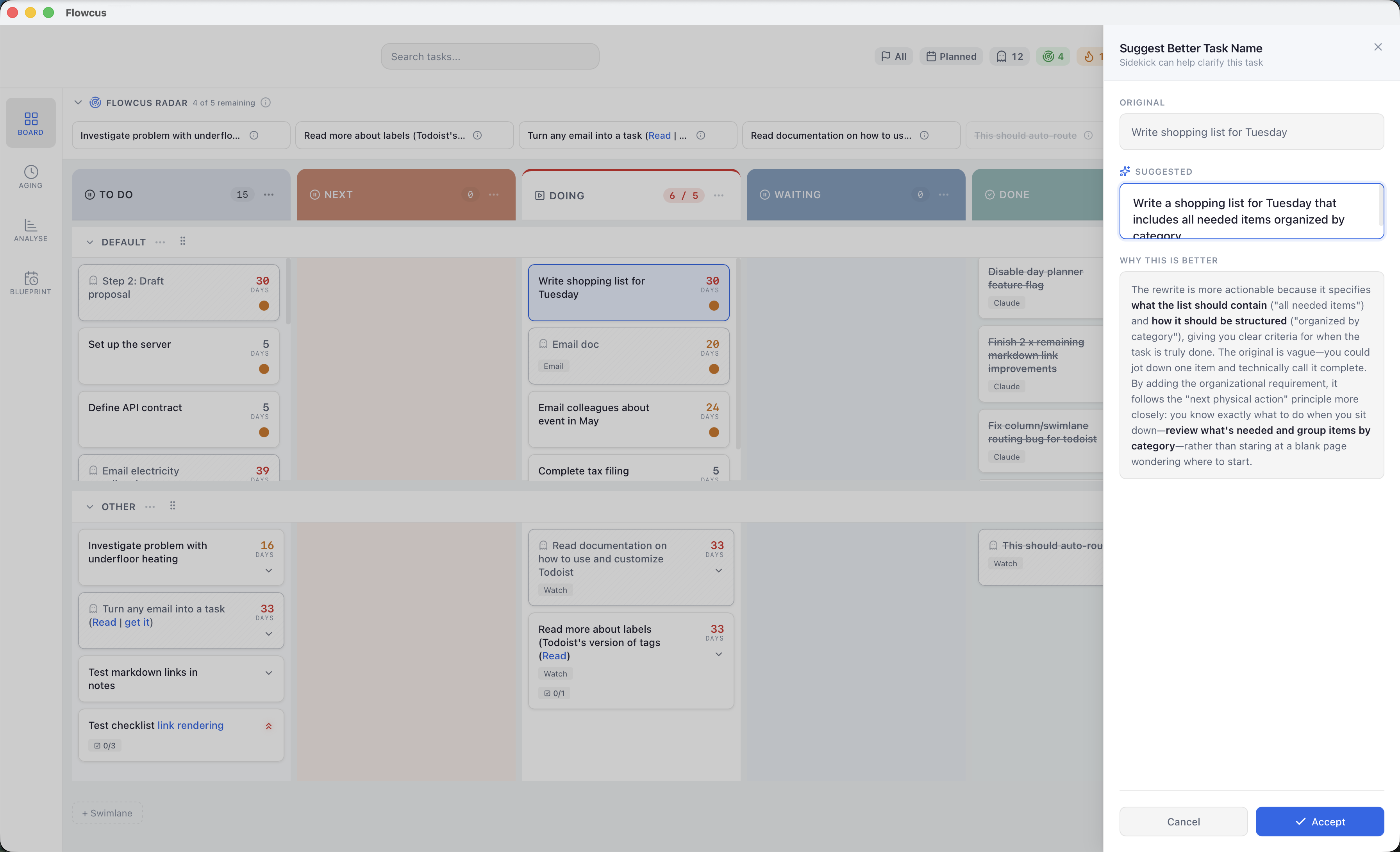
The AI Sidekick refines vague tasks, runs natural-language board commands, and summarises your week
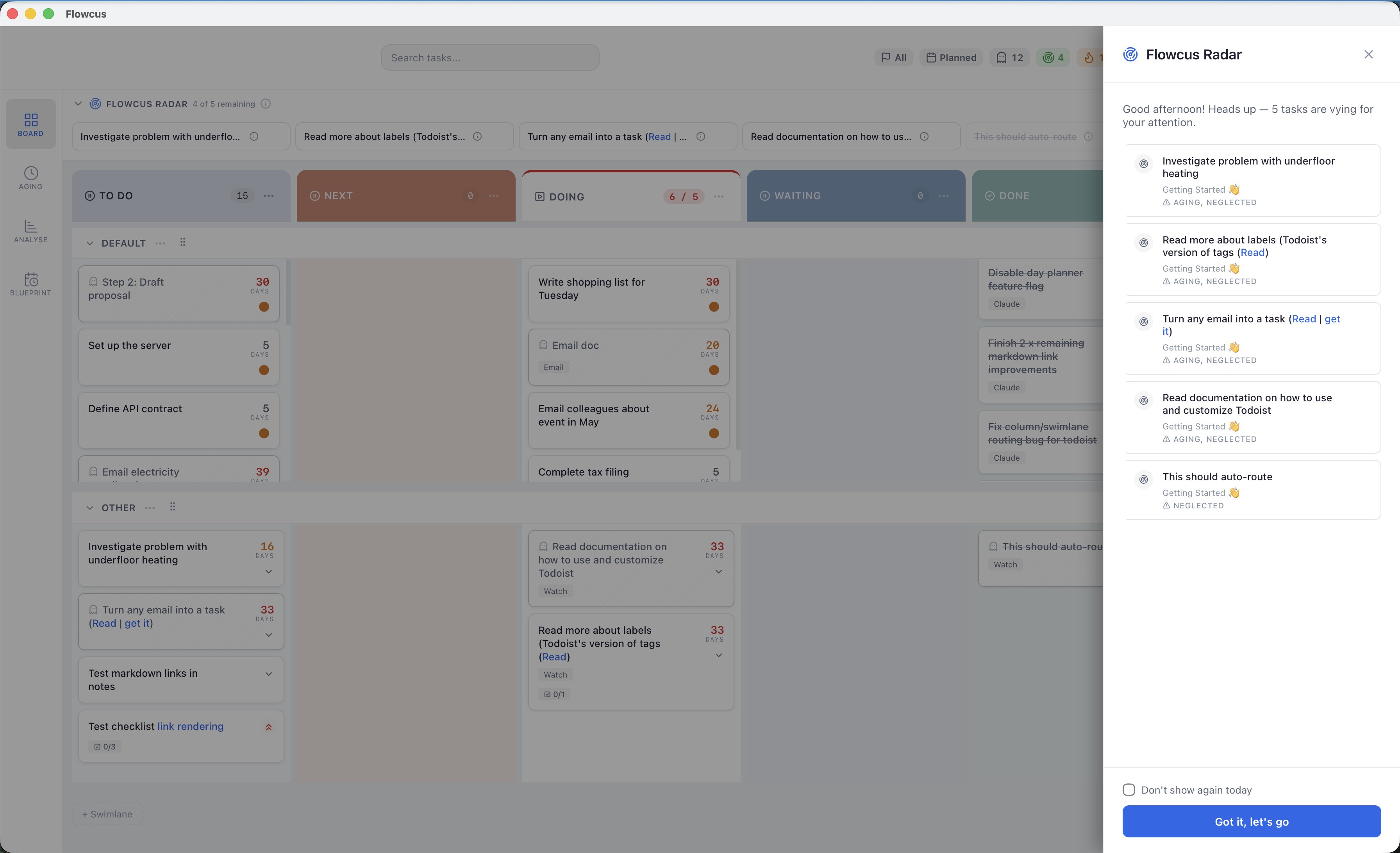
Radar analyses your tasks and surfaces the ones to focus on, scored by urgency, momentum, and neglect
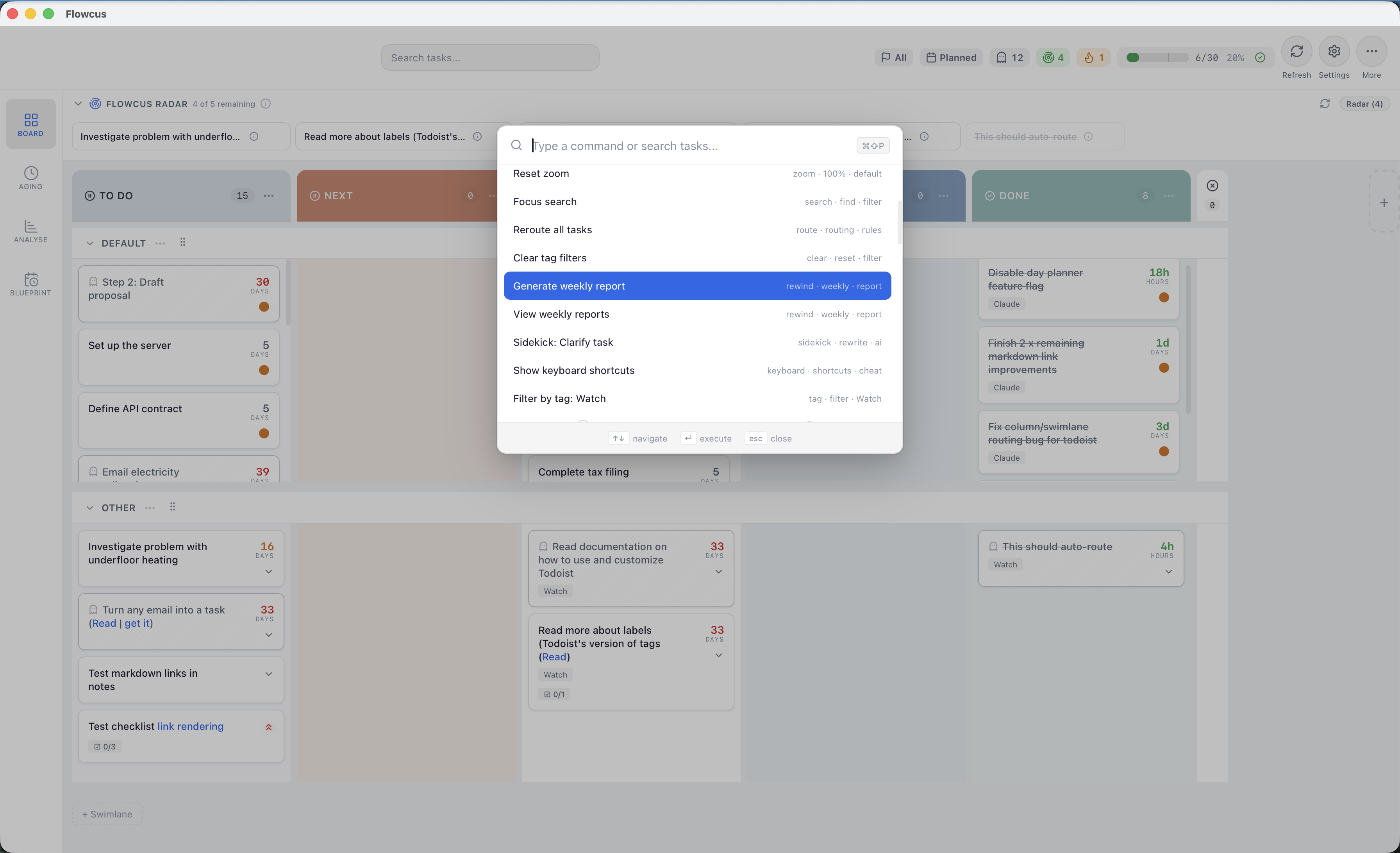
Command Palette provides keyboard-driven access to navigate, create, and manage tasks without the mouse
About the Founder
Rhyd Lewis
Developer
Rhyd Lewis is an indie Mac app developer, productivity enthusiast, and consultant based in the United Kingdom. He builds tools that help people get more from their task managers — including Flowcus, which brings Kanban board visualisation to OmniFocus, Things, and Todoist, and OmniFocus Search, a fast search workflow for Alfred and OmniFocus users. Rhyd is passionate about Kanban, lean thinking, and personal productivity.
Press Contact
For review copies, interviews, or additional assets:
Rhyd Lewis · Developer